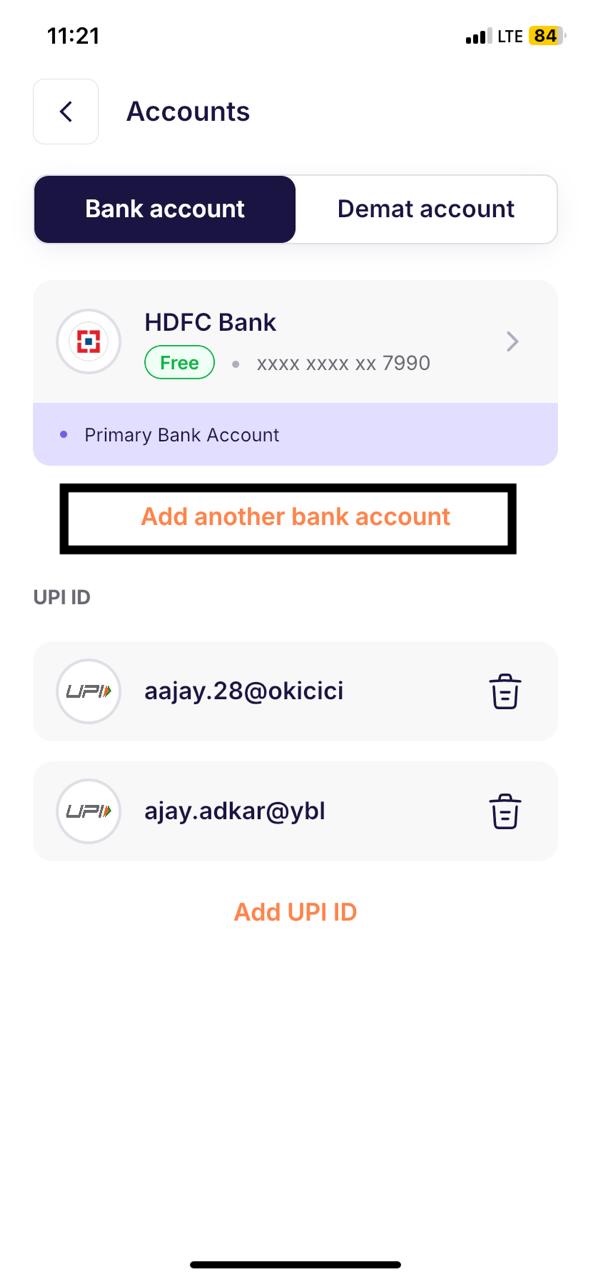
To change/add a new bank account on Ventura visit our web portal invest.venturasecurities.com or the new Ventura app & follow the steps below.
Step 1: Login to the Ventura app using your 4-digit PIN or Biometrics.
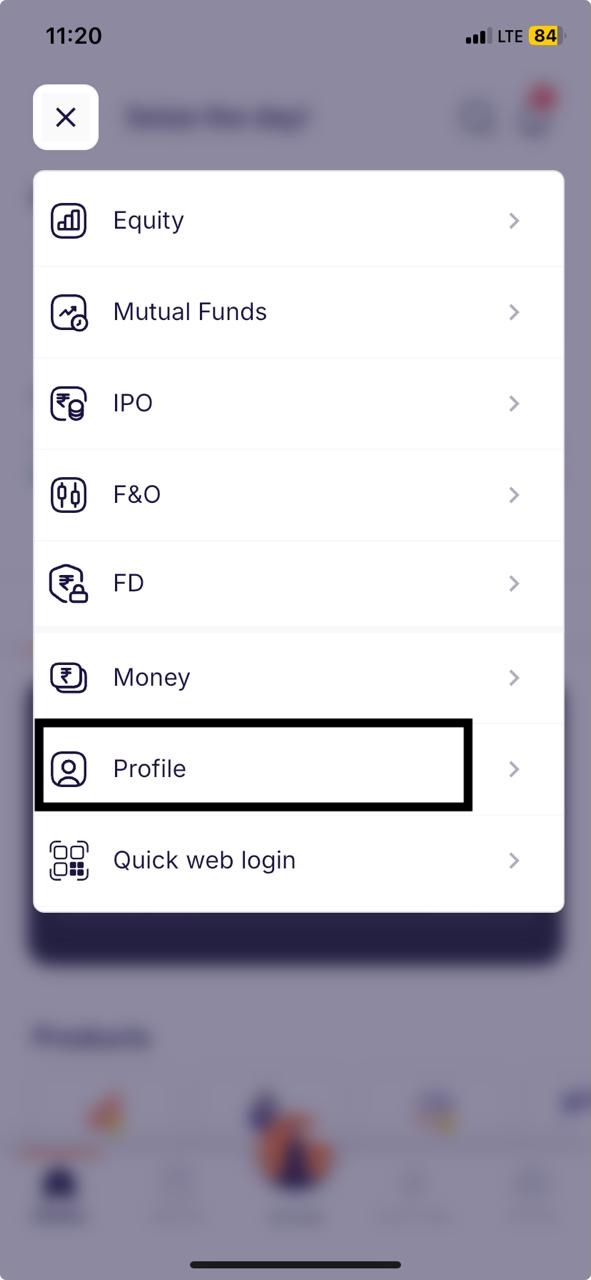
Step 2: Click on Hamburger menu button

Step 3: Click on “Profile”
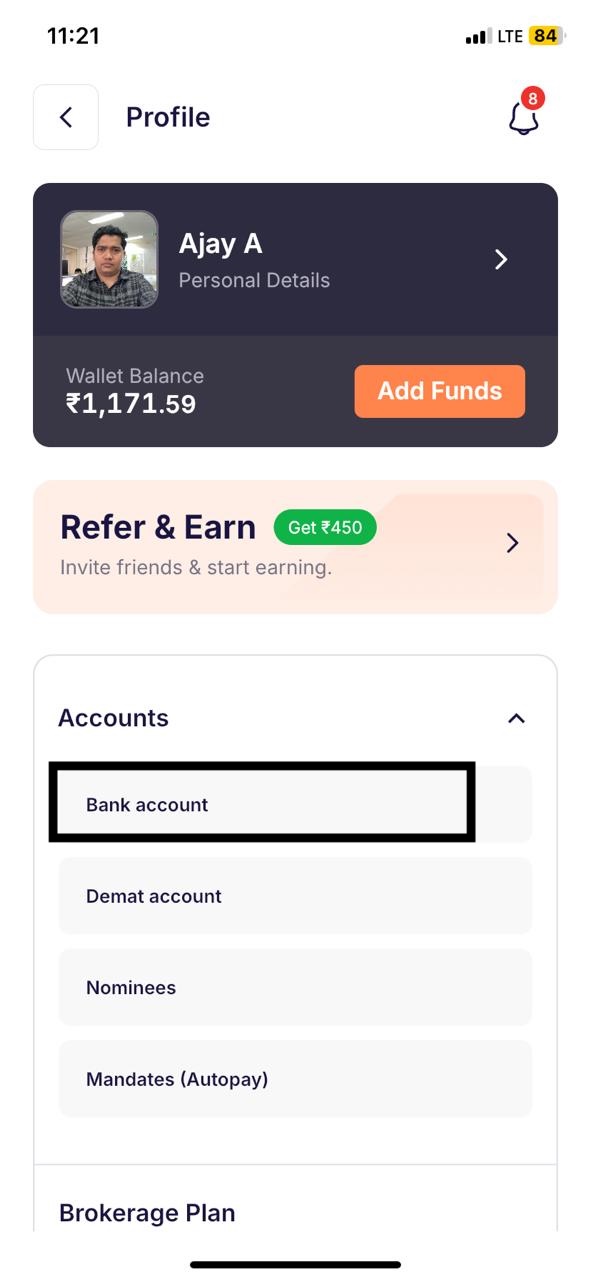
Step 4: Click on “Accounts” and then “Bank Account”
Step 5: Click on “Add another bank account”